
See what’s nearby
The stores around you that have something on your list, closest first. On iPhone and iPad they’re on a map too.
 ErrandPing
For iPhone, iPad and Android
Add what you need. When you arrive at a store that has it, ErrandPing pings you once, with everything you can get there.
Get it on Google Play See how it works
Coming soon to the App Store for iPhone and iPad.

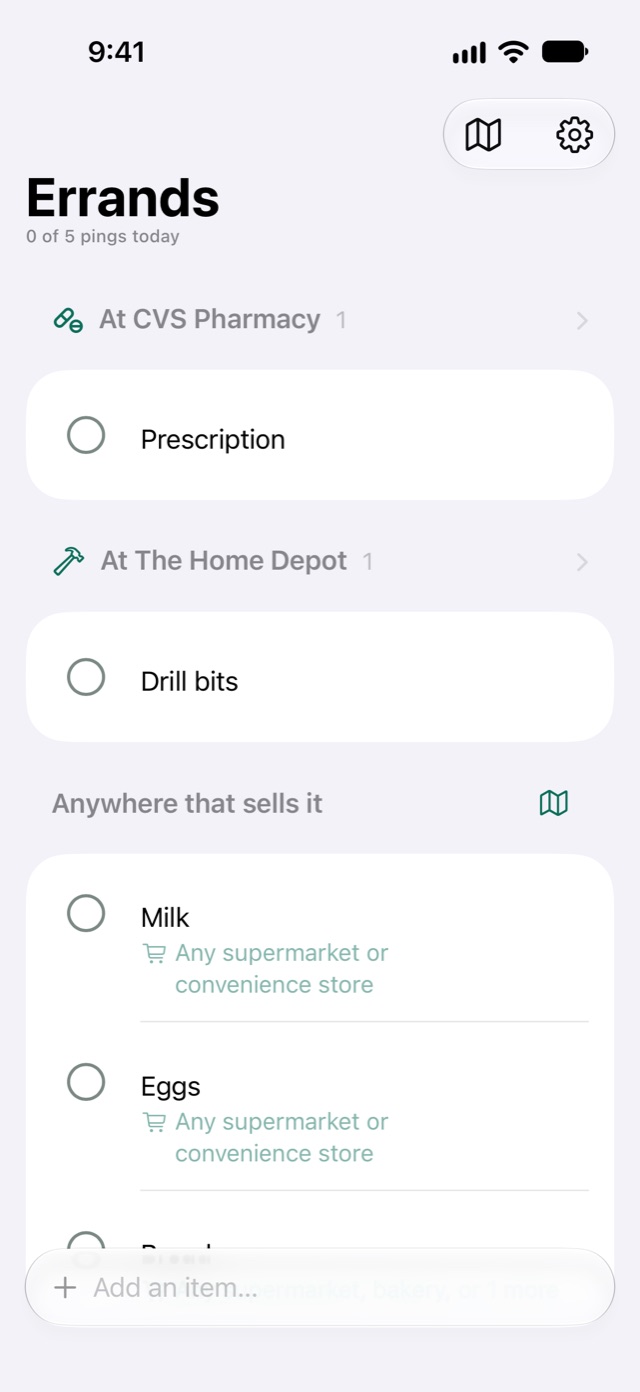

“Milk, eggs and bread” becomes three items. Name a store after “at” and the item waits for that store. For everything else, ErrandPing works out which kinds of stores sell it.
When you stop at a store that has something on your list, you get a single notification with everything you can get there. Driving past doesn’t count.

The ping opens a checklist for that store. Whatever you don’t tick stays on your list for the next one.
The stores around you that have something on your list, closest first. On iPhone and iPad they’re on a map too.

As you type, ErrandPing shows the kinds of stores that carry the item. Pick a particular store if you’d rather.

No pings between 10 PM and 7 AM and no more than five a day, unless you change them. Snooze a store for the day from the ping itself.

It follows your device’s light or dark appearance and works with screen readers and larger text sizes.
ErrandPing checks your location on your phone or tablet to notice when you’re at a store. That location never leaves the device, and ErrandPing keeps no data about you.
Yes. There are no subscriptions, in-app purchases or ads.
Yes, if you allow location access Always. ErrandPing then wakes up only near stores on your list. With location allowed only while you use the app, it still shows what’s nearby when you open it.
Yes. Add “at” and the store’s name, and ErrandPing reminds you only at that store.
ErrandPing waits until you’ve stopped at the store before it pings. On iPhone and iPad, turning on Skip drive-bys in Settings also lets it use your device’s motion activity to tell driving past from stopping.
One per store visit, five a day at most and none between 10 PM and 7 AM. You can change the limit and the quiet hours in Settings.
No. Your location is used on your device and isn’t sent to us or to anyone else. On iPhone and iPad, store searches use Apple Maps. On Android, the app downloads the stores for the area you’re in, which tells our server only the general area, about 20 miles across, and not where you are in it.
It’s on Google Play in the United States, for Android 10 or later. The iPhone and iPad app, for iOS 26 or later, is coming soon to the App Store.
For Android 10 or later, in the United States. The iPhone and iPad app is coming soon to the App Store. Questions? Write to support@errandping.com.